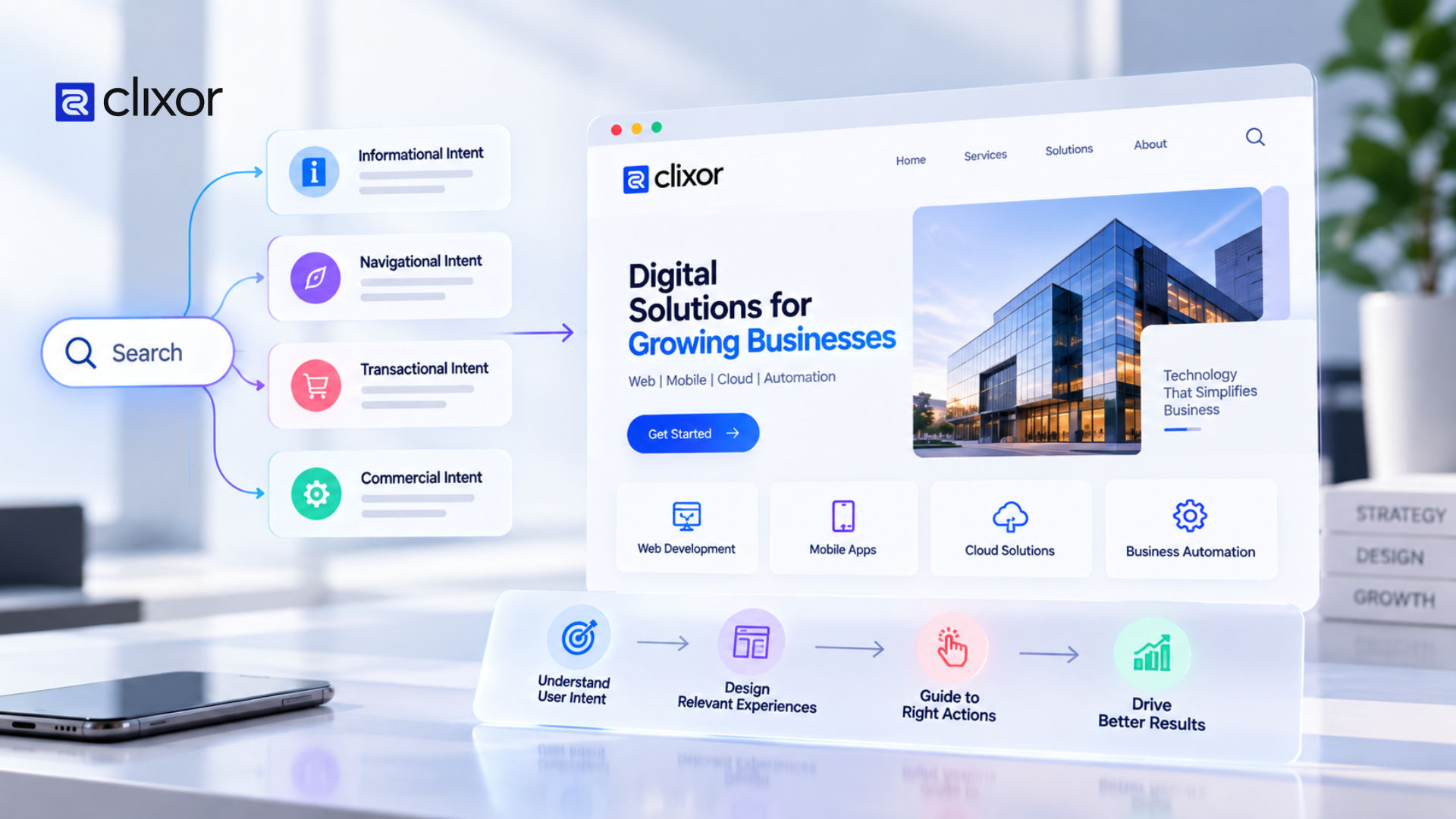
Every Click Has a Reason: Designing Around User Intent
A website can look modern, load quickly, and contain all the right information. But if users cannot easily find what they need, the design is not doing its job.
Good user intent in web design starts with understanding why someone visits a website. Are they looking for information? Comparing services? Checking pricing? Booking a service? Or simply trying to contact a business?
Every click usually has a purpose. When a website understands that purpose, the user journey becomes simpler and more natural.
- What Is User Intent in Web Design?
- Why User Intent Matters in Website Design
- Design Around the User's Next Step
- Design for Different User Journeys
- User Intent and Conversion-Focused Design
- How Clixor Tech Approaches Digital Experiences
- FAQs
- Conclusion
What Is User Intent in Web Design?
User intent refers to the reason behind a visitor's action on a website.
For example, someone visiting a software company's website might want to:
- Understand what the company offers.
- Explore a specific service.
- Check pricing
- Read about previous projects.
- Request a consultation
- Contact the team
A good website does not make users figure out where to go. It creates a clear path based on these intentions.
Why User Intent Matters in Website Design
Many websites are designed around what the business wants to say rather than what visitors want to find.
This can create unnecessary friction.
Imagine a visitor looking for your web development service. If they have to move through multiple pages before finding it, they may leave the website.
Designing around user intent helps reduce this confusion.
The goal is simple: help users reach their desired outcome with as little friction as possible.
Design Around the User's Next Step
A useful question for every page is:
“What does the user most likely want to do next?”
For a service page, the next step could be requesting a quote.
For a blog, it could be reading another related article.
For a product page, it could be viewing features or starting a demo.
The design should make that next action easy to notice without making the page feel crowded.
Use Clear Visual Hierarchy
Users do not read every website word by word. They scan.
Headings, spacing, buttons, images, and content sections should guide attention naturally.
For example, a service page could follow this flow:
Problem → Solution → Services → Benefits → Process → Call to Action
This gives users enough context before asking them to take action.
For more guidance on structuring page content, headings and labels can help make information easier to understand and navigate.
Make Navigation Match User Expectations
Website navigation should reflect how users think about the business.
If important information is hidden under unclear labels, users may struggle to find it.
Simple labels such as Services, Solutions, About, Resources, and Contact can often make navigation easier to understand.
Clear navigation and page structure can help users understand where they are and where they can go next.
Design for Different User Journeys
Not every visitor arrives with the same goal.
A business owner may want to understand pricing, while a technical visitor may want to explore features or integrations.
A strong website provides different paths without creating unnecessary complexity.
For example, clear calls to action such as “Explore Services,” “View Solutions,” “Book a Consultation,” or “Contact Us” can support different stages of the decision-making process.
User Intent and Conversion-Focused Design
Conversion-focused design is not simply about adding more buttons.
It is about understanding what users need before they are ready to take action.
If visitors have unanswered questions, adding a large “Contact Us” button may not solve the problem.
Instead, the page should provide the right information first and then offer a relevant next step.
This creates a more natural user experience.
How Clixor Tech Approaches Digital Experiences
At Clixor Technologies, website and software design can be approached around real business requirements and user behavior rather than visual appearance alone.
From website structure and navigation to interface design and development, each element should have a clear purpose.
A good digital experience is not about making users click more.
It is about helping them accomplish what they came to do.
FAQs
1. What is user intent in web design?
User intent is the reason or goal behind a visitor's action on a website.
2. Why is user intent important in UX design?
It helps designers create clearer navigation, useful content, and smoother user journeys.
3. How can websites improve user intent?
Websites can improve by understanding user goals, simplifying navigation, creating clear content, and providing relevant next steps.
4. Does user intent affect website conversions?
Yes. When users can easily find relevant information and understand their next step, the overall journey can become more straightforward.
5. What is the difference between UX design and visual design?
Visual design focuses mainly on appearance, while UX design considers how easily users can understand and interact with a digital product.
Conclusion
Every click tells you something about what a user wants to accomplish. In the end, the strongest websites listen to those signals and turn them into clearer navigation, better content, and more useful experiences.
The best websites do not treat those clicks as random actions. They use them as signals to create clearer navigation, better content, and more useful experiences.
Design around the user's goal, not just the screen. Start by making the next step clear. That is what turns a website into something easier to understand, easier to use, and more valuable to both the visitor and the business.
When every element has a purpose, the website becomes easier to understand, easier to use, and more valuable to both the visitor and the business.